Paste or upload
Export a file from your current system, or copy rows from a spreadsheet, and paste them in.
- Members and memberships, up to 5,000 at a time
- Visit history, up to 25,000 rows
- Staff, up to 300
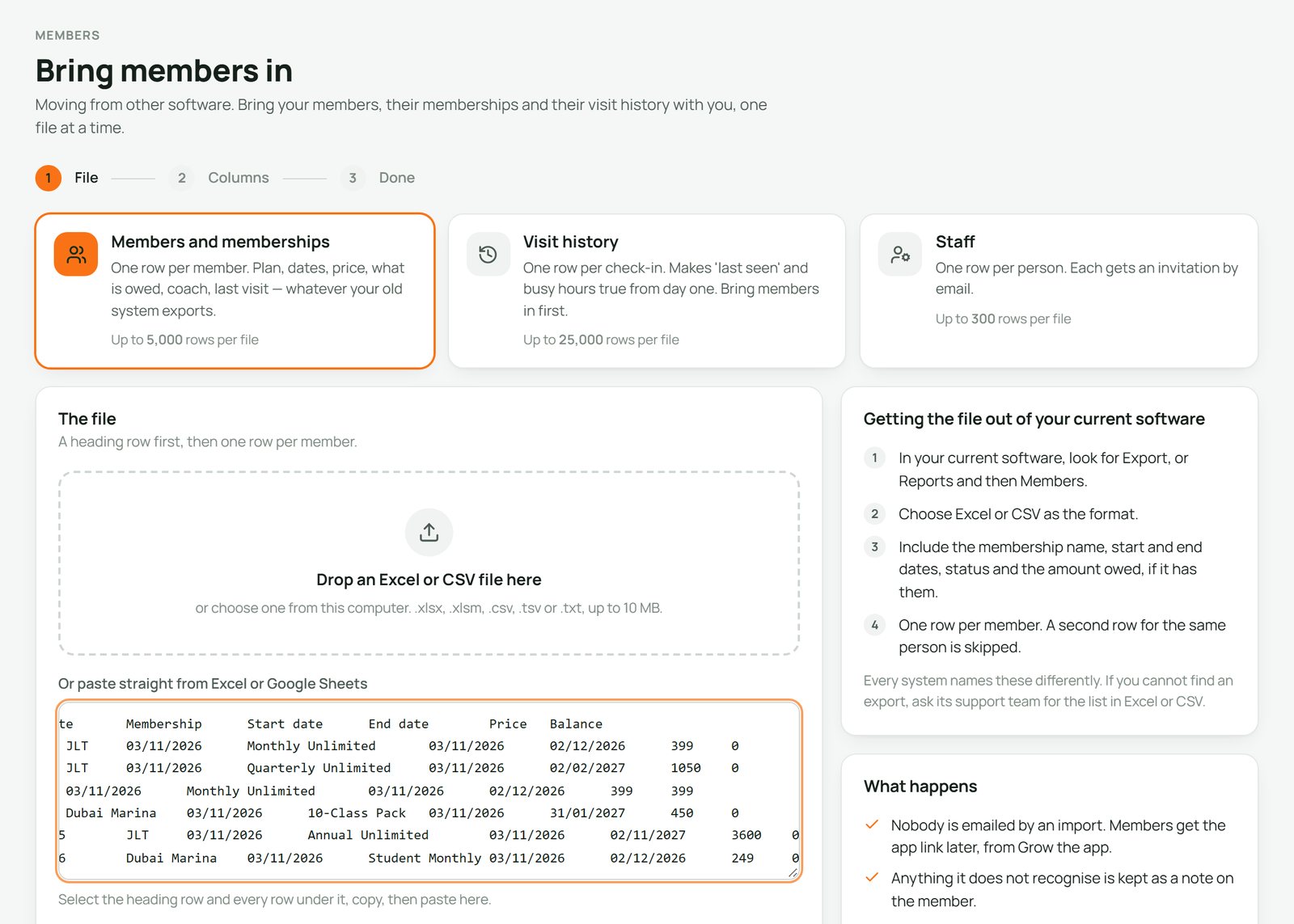
Paste a sheet or upload a CSV. FitVantage matches the columns, shows what will happen to each row, and brings members in with their memberships. Visits and staff can come across too. Changed your mind? Undo it within 72 hours.

Export a file from your current system, or copy rows from a spreadsheet, and paste them in.
FitVantage guesses what each column is. Change any guess, then see every row marked as new, updated or skipped before you bring them in.

The same steps the import page shows you.
On the Chain plan, we do the import for you. Ask for a Chain quote
On every plan: Studio, Gym and Chain.
| What comes across | Members with their memberships, visit history and staff. |
|---|---|
| Member details recognised | Name, email, mobile, date of birth, gender, member number, home location, coach, join date, plan with start and end dates, price, amount owed, status, sessions left, last visit, height, weight, goal, injuries, medical notes and notes. Any other column can be kept as a note. |
| Undo | Undo a whole import within 72 hours. |
| Emails | None. Nobody is contacted by an import. You invite members to the app when you’re ready. |
| Duplicates | A second row for the same person is skipped. |
| Help | Studio and Gym: you import and we help. Chain: we do it for you. |
No. You invite them to the app when you’re ready, with the poster, desk cards and messages in Grow the app.
FitVantage guesses each column, and you can change any guess before importing.
Yes, up to 25,000 visits in a file.
On the Chain plan, yes. On Studio and Gym you import, and we help by email and WhatsApp.

Studio from AED 349 a month · 14 days free, no card
Start free trial