
Help centreFitVantage for CoachesTalking to clients
How clients book calls
Your clients book calls with you in the app, inside your working hours. You don’t have to confirm each one: a booking goes straight into your calendar.
What your client does
- On the Coach tab, they tap your card and choose Book a session.
- They pick a type: Video Call (20 min), Full Session (45 min) or Chat Session (15 min). In-person PT (60 min) shows only to clients holding in-person sessions with you.
- They pick a day in the next two weeks, then a time. Times are Gulf Standard Time.
- They can say what they’d like to cover, then choose Confirm booking.
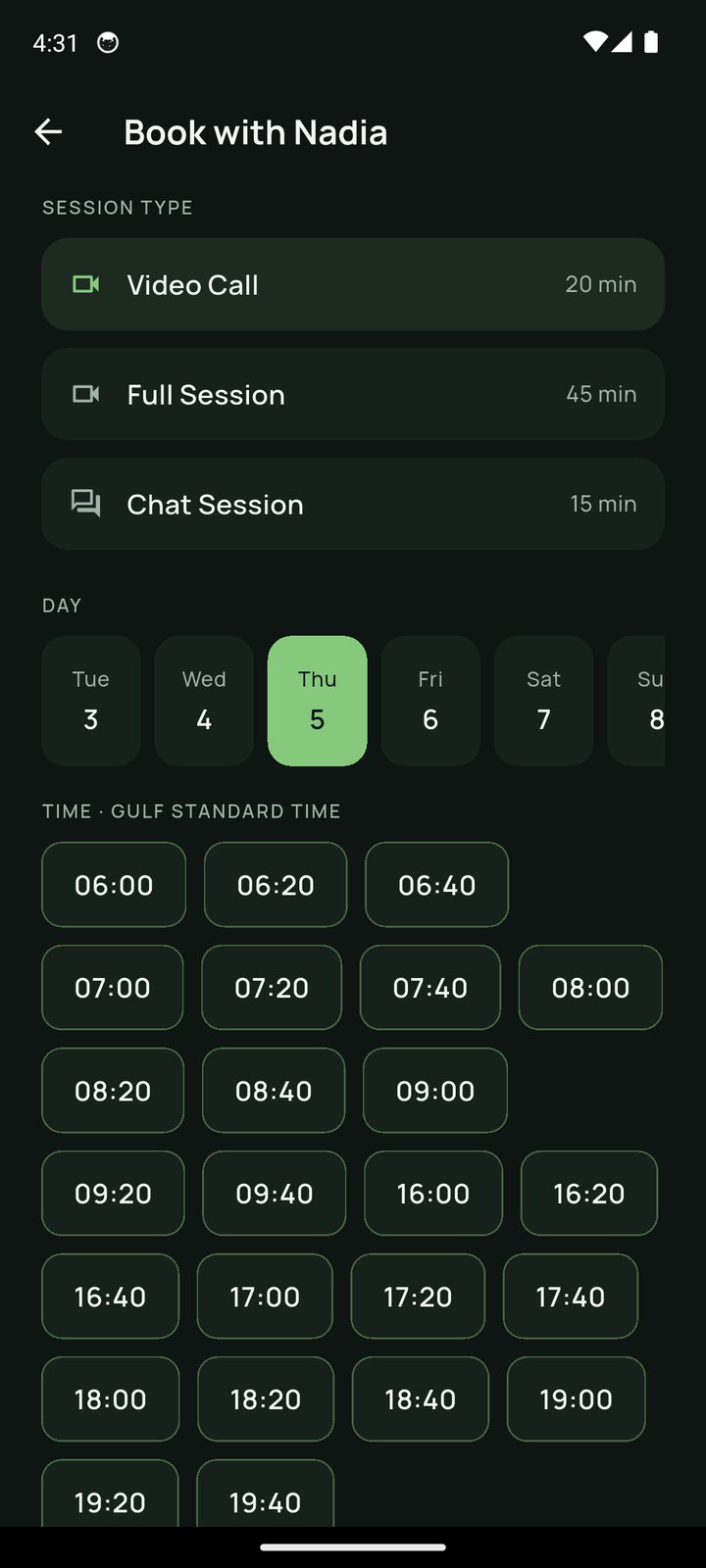
You get a notification with their note, and the session is in your Calendar.
The rules
- Only inside your working hours. With no hours set, no times show: see Set your working hours.
- At least 2 hours’ notice, and no more than 30 days ahead.
- Cancelling is free up to 12 hours before. After that the session counts as used.
- Moving is free while there’s notice; inside 12 hours, once per session.
How many calls
| Starter | No calls to book. Your clients are asked to message you instead. |
|---|---|
| Pro | 2 calls a month for each client. |
| Team | Unlimited. |
Free online sessions you gave with an invite are booked the same way, on top, and show as free.
After the session
Open it in the Calendar and choose It happened or No-show. Marking it held counts down a session pack; a no-show gives the session back.
Related
Still stuck? Talk to us.
We reply in English.
- Call or WhatsApp
- +971 55 582 0061 · WhatsApp
- Hours
- Monday to Friday, 9:00 to 17:00 (UAE)
- Company
- FIT - VANTAGE FZCO · DSO-IFZA, IFZA Properties, Dubai Silicon Oasis, Dubai, UAE