
Help centreFitVantage for GymsFront desk
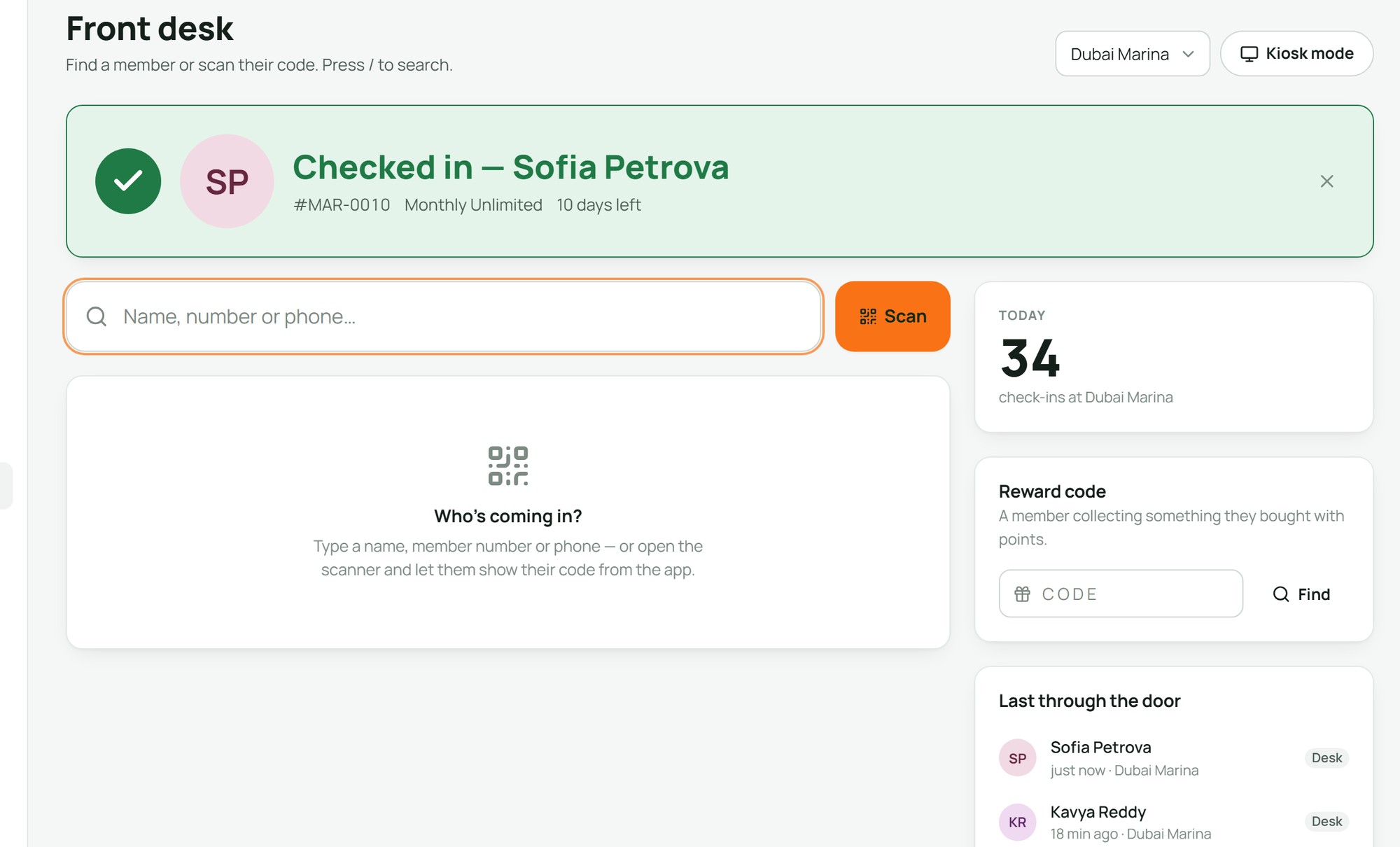
Check a member in at the desk
- Open Front desk in the portal and pick your location.
- Ask the member to open the FitVantage app and show their check-in code.
- Scan it with a USB scanner, or with the camera on devices that support it. Or type their name, member number or phone, and pick them from the list.
- A green Checked in shows their plan and how many days are left. The visit counts toward their streak in the app.
Didn’t work?
- Their membership isn’t live (ended, paused or unpaid): the desk tells you. Owners, managers and the front desk can let them in anyway; coaches can’t.
- The camera won’t scan: type their name or member number instead, or use a USB scanner.
- They don’t have their phone: search by name, member number or phone.
Related
Still stuck? Talk to us.
We reply in English.
- Call or WhatsApp
- +971 55 582 0061 · WhatsApp
- Hours
- Monday to Friday, 9:00 to 17:00 (UAE)
- Company
- FIT - VANTAGE FZCO · DSO-IFZA, IFZA Properties, Dubai Silicon Oasis, Dubai, UAE