
Help centreFitVantage for GymsWebsite and integrations
Sales channels
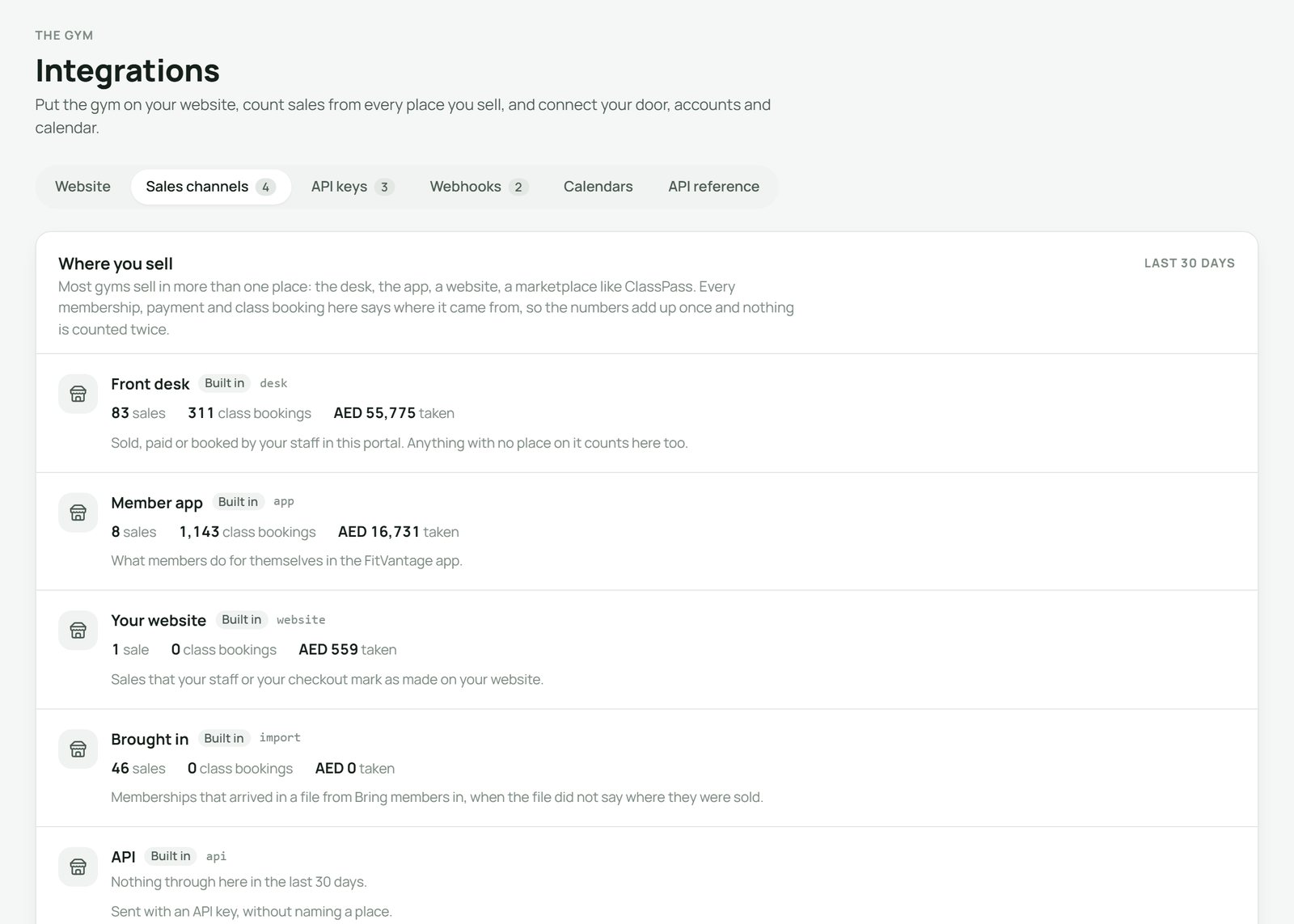
Most gyms sell in more than one place. Every membership, payment and class booking says where it came from, so your numbers add up once and nothing is counted twice.
The five that are always there
| Front desk | Sold, paid or booked by your staff in the portal. Anything with no place on it counts here too. |
|---|---|
| Member app | What members do for themselves in the FitVantage app. |
| Your website | Sales your staff or your checkout mark as made on your website. |
| Brought in | Memberships that came in a file from Bring members in without saying where they were sold. |
| API | Sent with an API key, without naming a place. |
Add a place you sell
- Open Integrations and the Sales channels tab.
- Under The usual ones, click one: ClassPass, Wellhub (Gympass), Urban Sports Club, Mindbody, Glofox, PerfectGym, Eventbrite, Shopify, Stripe payment links, Instagram and WhatsApp, or Phone and walk-ins. Each says how its sales reach you.
- Or, under Somewhere else, type a name and an optional note, and press Add this place.
You can list up to 20 places. Each shows its sales, class bookings and money taken in the last 30 days, and the plans sold there. Reports shows the same split.
How sales get here
- At the desk: selling a plan asks Sold where, with room for their booking or order number. A payment can say where the money was taken.
- From a file: a members file in Bring members in can carry Sold where and Their ID on that platform. Write the place as it’s named on your list.
- Automatically: with an API key, a checkout or booking tool (or Zapier or Make) records each sale as it happens, and can hold a class place for someone who booked elsewhere, so the class is never sold twice.
FitVantage doesn’t connect to these platforms by itself: their sales reach you in one of these three ways. To show which plans are on which platform, tick them under Also sold on on the plan, in Plans & prices.
Removing a place
Press Remove. It comes off the list the desk picks from, and off any plan marked as sold there. Sales, payments and bookings already recorded through it keep its name in reports.
Related
Still stuck? Talk to us.
We reply in English.
- Call or WhatsApp
- +971 55 582 0061 · WhatsApp
- Hours
- Monday to Friday, 9:00 to 17:00 (UAE)
- Company
- FIT - VANTAGE FZCO · DSO-IFZA, IFZA Properties, Dubai Silicon Oasis, Dubai, UAE