
Help centreFitVantage for GymsWebsite and integrations
Your public gym page
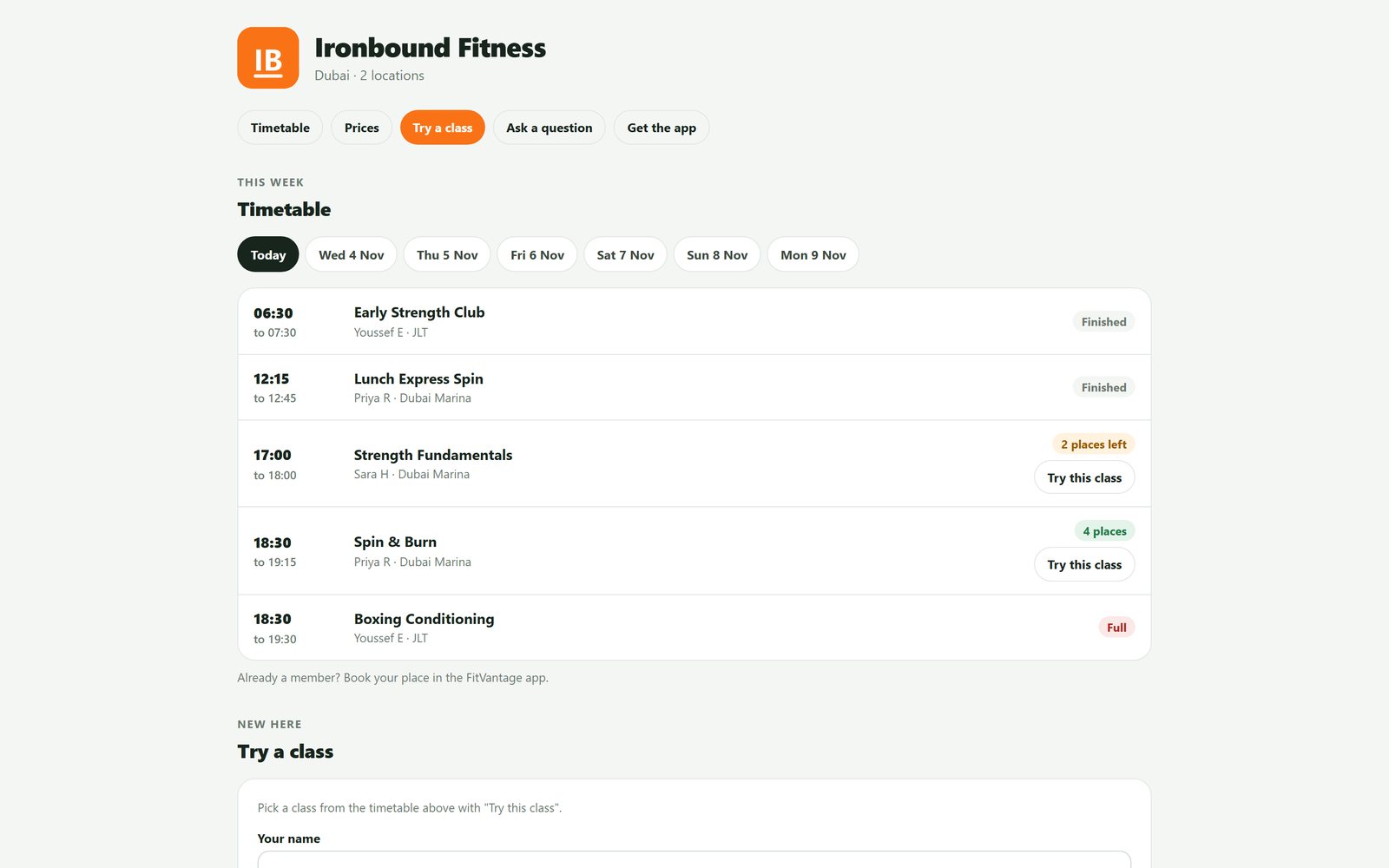
A page of your own that anyone with the link can open: this week’s timetable with places left, your public plans, your locations, an enquiry form and how to get the app. It’s off until you switch it on.
- Open Integrations in the side menu. It opens on the Website tab.
- Switch on Public page and website embeds. The portal says “Your page is live”.
- Under Your page, press Copy for its address, or Open to see it as visitors do. Put the link in your Instagram bio or your Google Business Profile, or print it as a QR code for the door.
What’s on it
- Timetable: the next seven days of classes, with places left and the coach’s first name and initial.
- Prices: plans on sale with Show to the public switched on, under Plans & prices. A plan with a payment link gets a Buy online button that opens your own checkout; every plan has Ask about this. FitVantage doesn’t take the money, and an online sale isn’t recorded by itself: record it at the desk.
- Where we are: each location’s address and phone, and a link to add its timetable to a calendar once you’ve made one under Calendars.
- Get the app: how to download it, and your gym code when members can join with it.
- Your logo and colour from Branding.
Nothing about any member is on the page.
Trial classes and enquiries
Let visitors ask for a trial class is on unless you switch it off. It adds Try this class to the timetable. A request reaches Leads with the class and the day, and shows on that class’s roll. It doesn’t hold a place, so confirm it with them.
Questions sent with Ask a question land in Leads too, and owners and managers are told in the portal. The same person writing twice in a day stays one lead.
Where people come from
Put ?src=instagram or ?src=google on the end of the link you post, and leads from it say so. Search engines are asked not to list the page, so people reach it through the links you share.
Switching it off
The page stops opening, and the pieces on your website go blank. Nothing is lost: switch it back on and they return. While your gym’s FitVantage account isn’t open, the page doesn’t show either.
Related
Still stuck? Talk to us.
We reply in English.
- Call or WhatsApp
- +971 55 582 0061 · WhatsApp
- Hours
- Monday to Friday, 9:00 to 17:00 (UAE)
- Company
- FIT - VANTAGE FZCO · DSO-IFZA, IFZA Properties, Dubai Silicon Oasis, Dubai, UAE