
Help centreFitVantage for CoachesYour coach page
Enquiries
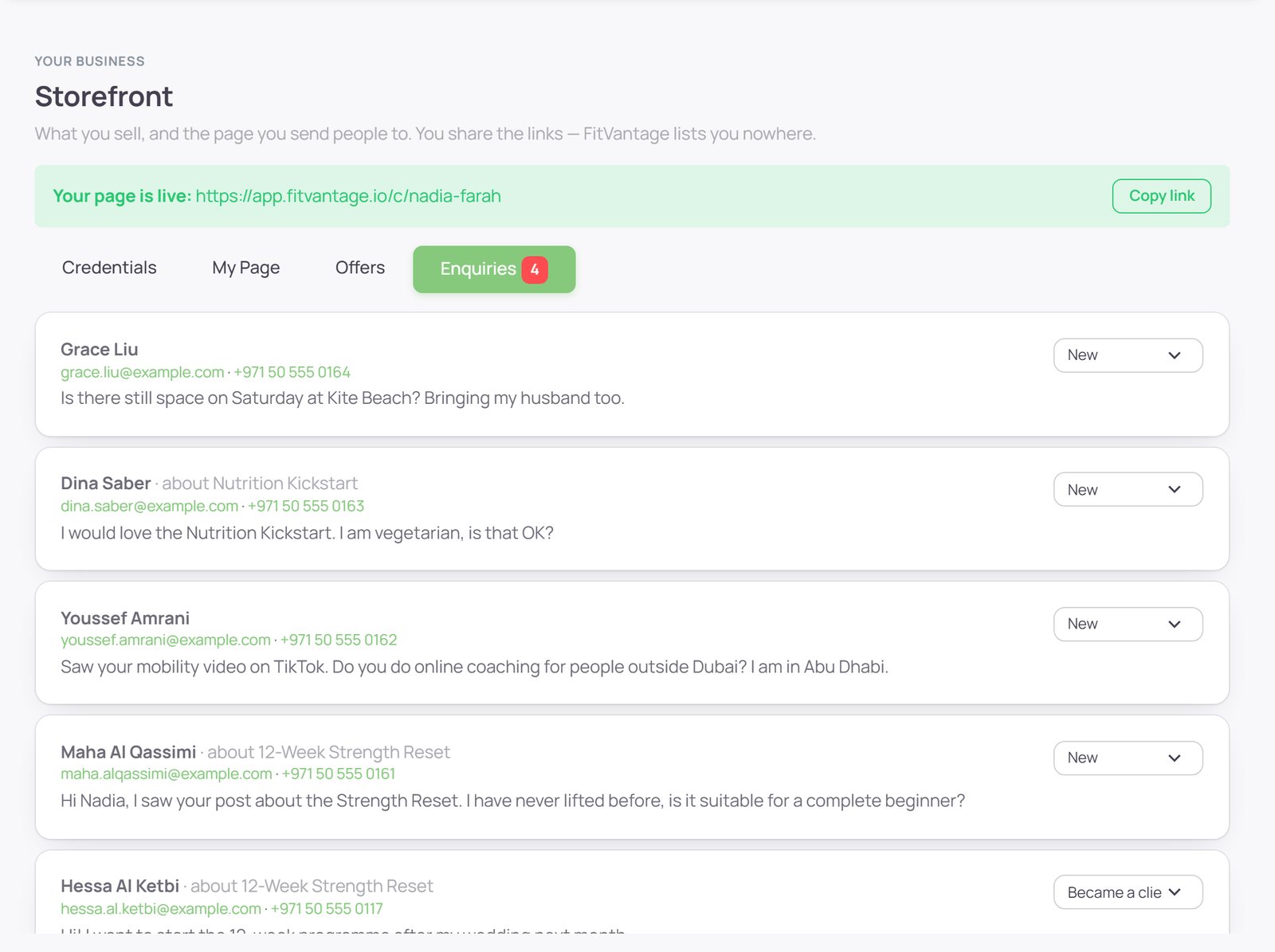
When someone writes to you from your page or one of your offers, their message arrives under Enquiries. You reply to them yourself.
- Open Storefront and the Enquiries tab. A red number shows how many are new, and the portal’s bell tells you “… wrote to you”.
- Each enquiry shows their name, their email or phone, their message, and which offer it’s about when they wrote from an offer.
- Their email and phone are links: use them to reply.
- Set where it stands: New, Contacted, Became a client or Not going ahead. New ones stay at the top.
From enquiry to client
When they’re ready to start, send them your invite code. They join you in the app with it: see Invite a client with your code. Then set the enquiry to Became a client.
Good to know
- Every enquiry has a way to reply: the form asks for an email or a phone number.
- Most spam never arrives: forms filled in by bots are dropped.
- The latest 100 are listed.
- Kept for two years, then deleted.
Related
Still stuck? Talk to us.
We reply in English.
- Call or WhatsApp
- +971 55 582 0061 · WhatsApp
- Hours
- Monday to Friday, 9:00 to 17:00 (UAE)
- Company
- FIT - VANTAGE FZCO · DSO-IFZA, IFZA Properties, Dubai Silicon Oasis, Dubai, UAE