
Help centreFitVantage for CoachesYour coach page
Offers
An offer is something you sell: monthly coaching, a session pack, a programme or a consultation. Each one has its own link, and shows on your page while it’s on sale.
- Open Storefront and the Offers tab. Press New offer, or start from Monthly coaching, Session pack, 12-week programme or One-off consultation.
- Give it a Name and One line about it. Choose the Kind and How it is charged: Repeating (every month, quarter or year), Once, or Pack of sessions. Set the Price (AED).
- Under What is included, set what the client gets, such as chat, a personal training plan, check-ins or video sessions a month. Add up to 8 lines In your own words, a Description and your Refund policy.
- Set the Status to Draft, On sale or Paused, and press Save offer.
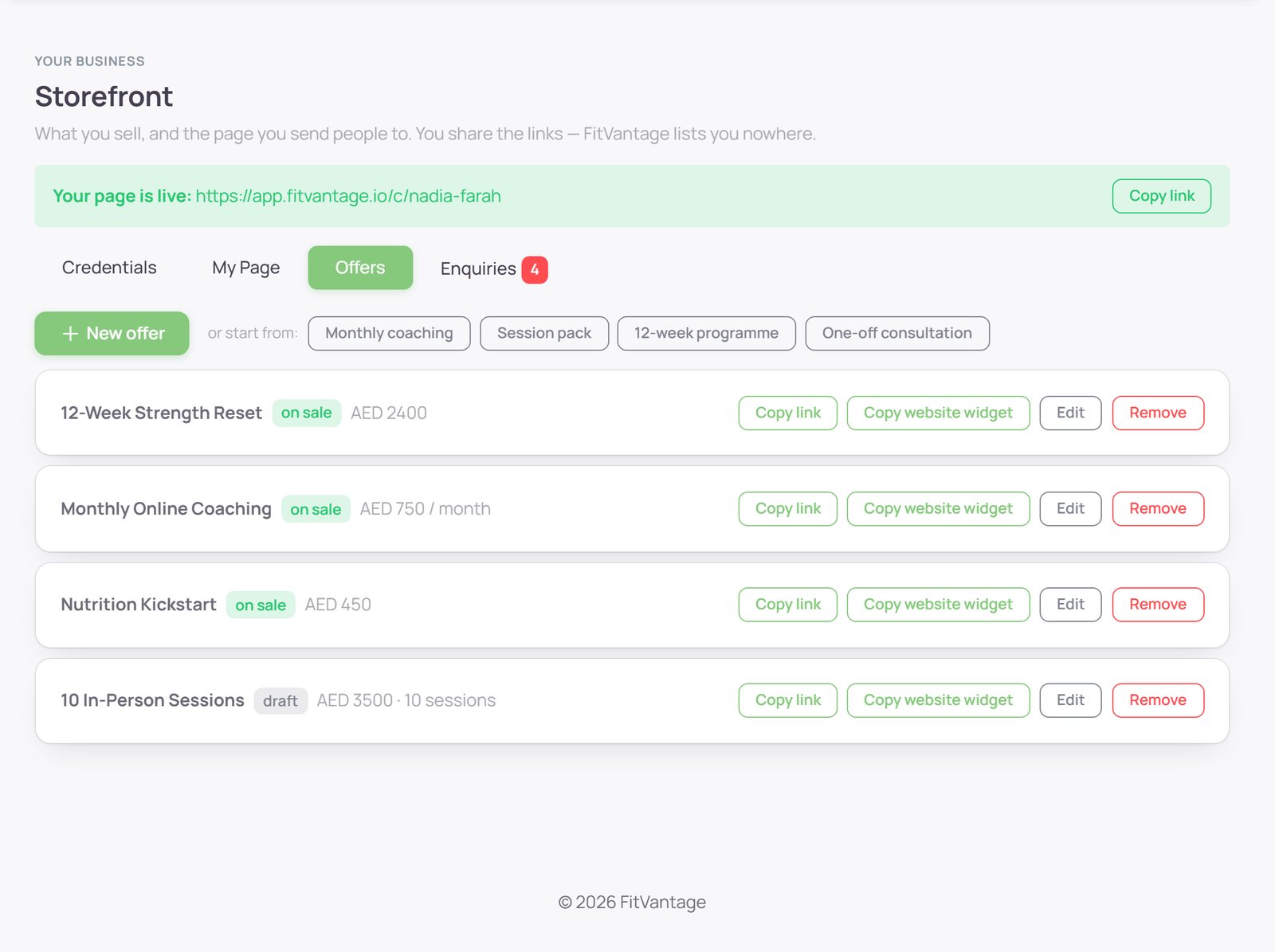
How people buy
There’s no checkout on your page. Visitors write to you about an offer, and their message arrives in Enquiries with the offer’s name on it. You agree the details and take payment your own way. FitVantage never handles the money and takes no cut.
Good to know
- On sale needs a verified licence and the coach terms signed. A personal nutrition plan can only be included with a verified Dubai Health Authority licence.
- Some words are refused: “best”, “exclusive”, “guaranteed”, “100%” and “money back”. The portal says which one to reword.
- The link never changes, even if you rename the offer, so a link already in your bio keeps working.
- Draft or Paused: the offer is off your page and its link doesn’t open.
- Remove takes it away and its link stops working. Enquiries about it stay.
An offer’s link only works once your page is live: see Share your page and website card.
Related
Still stuck? Talk to us.
We reply in English.
- Call or WhatsApp
- +971 55 582 0061 · WhatsApp
- Hours
- Monday to Friday, 9:00 to 17:00 (UAE)
- Company
- FIT - VANTAGE FZCO · DSO-IFZA, IFZA Properties, Dubai Silicon Oasis, Dubai, UAE