
Help centreFitVantage for CoachesPlans
Habit cards
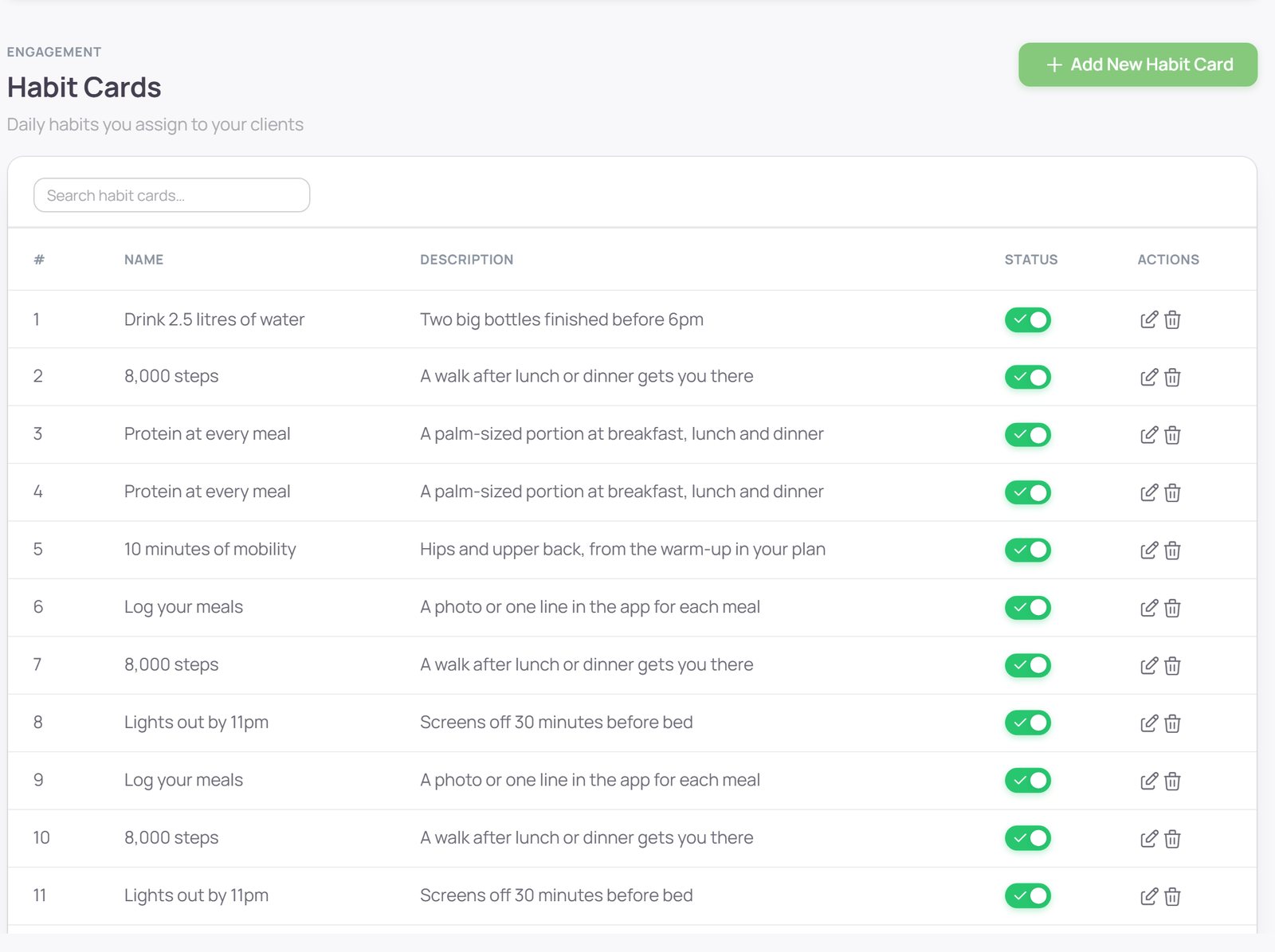
Set a client a small daily habit, like drinking water or a walk after dinner. They tick it off in the app each day, and it builds their streak and their FitScore.
- Open Habit Cards and choose Add New Habit Card, or choose Habit on the client’s record.
- Give it a name and a short description. Each takes up to 100 characters.
- Pick the start date, the end date and the client.
- Choose Submit.
Good to know
- One card, one client. To give the same habit to someone else, make another card for them.
- It shows every day from the start date to the end date, on their home screen, where one tap ticks it off.
- To stop it early, turn off its Status switch. It disappears from their app.
- See who did what in Habit Completions, which covers the last 60 days, and in the Habit Adherence score on their record.
Related
Still stuck? Talk to us.
We reply in English.
- Call or WhatsApp
- +971 55 582 0061 · WhatsApp
- Hours
- Monday to Friday, 9:00 to 17:00 (UAE)
- Company
- FIT - VANTAGE FZCO · DSO-IFZA, IFZA Properties, Dubai Silicon Oasis, Dubai, UAE