
Help centreFitVantage for CoachesPlans
Download a plan as a PDF
Download any meal plan as a ready-to-send PDF, and a weekly progress report for any client. Your clients can download their own plans in the app.
A meal plan
- Open Meal Plans.
- On the plan’s row, choose the Download PDF icon.
| At a glance | The plan and the client’s name, their goal, and their daily calories, protein, carbs and fat from the target you set. |
|---|---|
| About them | Allergies, diet, likes and dislikes, and anything medical from their intake. |
| Guides | The healthy plate and how to measure portions. |
| From you | “A Note From Your Coach”, which is the plan’s description, and your do’s and don’ts. |
| Day by day | Each day’s meals and dishes with portions and calories, and the day’s totals. |
The PDF carries the FitVantage logo. To send it, attach it in chat with the paperclip.
Your client’s copy
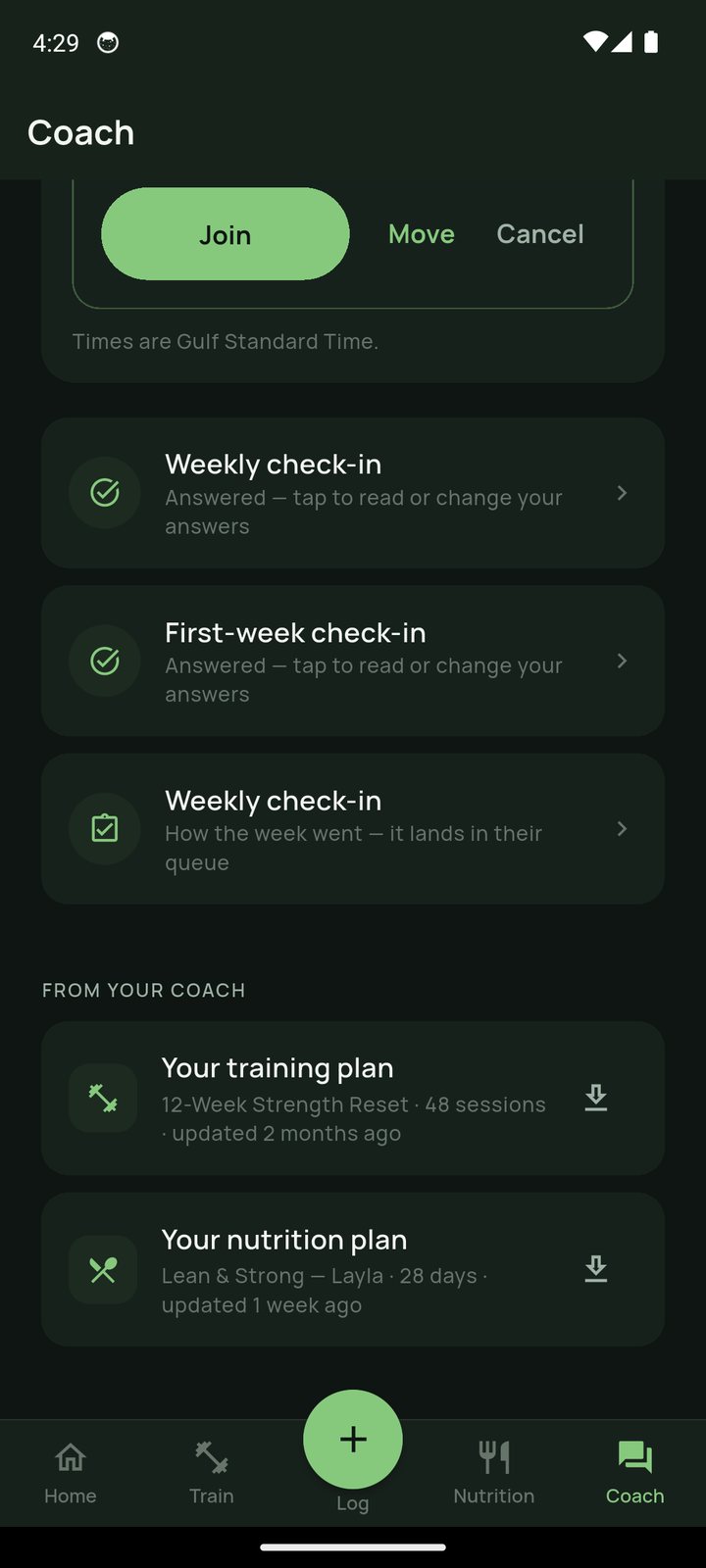
In the app, your plans are on their Coach tab under From your coach. The download icon next to each gets them the training or nutrition plan as a PDF. Workout plans download from the app only.
A progress report
On a client’s record, choose Report. The weekly progress report shows workout adherence, volume, weight, habit adherence, new personal records, exercises ready to progress, and their latest check-in.
A shopping list
The cart icon on Meal Plans lists what a plan needs. Choose Print, or print it to a PDF from your browser.
Related
Still stuck? Talk to us.
We reply in English.
- Call or WhatsApp
- +971 55 582 0061 · WhatsApp
- Hours
- Monday to Friday, 9:00 to 17:00 (UAE)
- Company
- FIT - VANTAGE FZCO · DSO-IFZA, IFZA Properties, Dubai Silicon Oasis, Dubai, UAE