
Help centreFitVantage for GymsClasses
Calendar feeds for staff
Put the classes you teach, your sessions with members and the gym’s timetable in Google, Apple or Outlook calendar. Subscribe once and it keeps itself up to date.
- Open Timetable and press Add to calendar.
- Under My classes and sessions, press Copy. This address is yours alone.
- Paste it into your calendar app as a subscription. Google Calendar: Other calendars › From URL. Apple Calendar: File › New Calendar Subscription. Outlook: Add calendar › Subscribe from web.
What each calendar shows
| My classes and sessions | The classes you teach, and your sessions with members, with the member’s first name and initial only. |
|---|---|
| The timetable | Every class at a location: names and times, never who is booked. You get one for each location you work at. |
Each one covers the past week and the next eight weeks. A date you call off drops out. Calendar apps check for changes on their own schedule, so a change can take a while to show.
Keep the addresses private
Anyone who has an address can read that calendar without signing in. If yours ends up somewhere it shouldn’t, press Reset my address in Add to calendar. The old one stops working at once, so add the new one to your calendar.
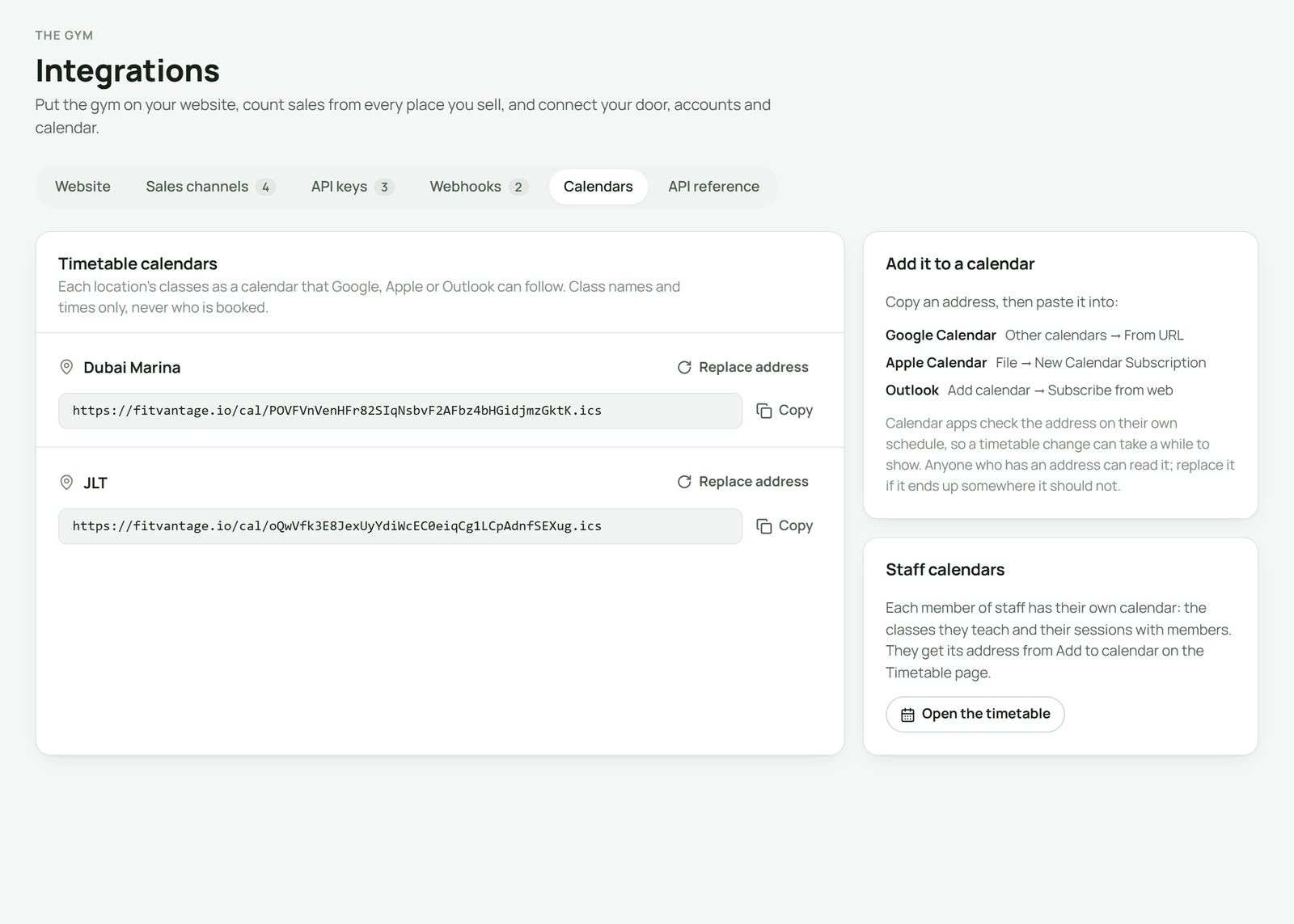
Owners see each location’s address under Integrations › Calendars, with Create calendar address or Replace address. Replacing one stops the old address at once. If your public gym page is on, each location’s timetable address is published there too.
Related
Still stuck? Talk to us.
We reply in English.
- Call or WhatsApp
- +971 55 582 0061 · WhatsApp
- Hours
- Monday to Friday, 9:00 to 17:00 (UAE)
- Company
- FIT - VANTAGE FZCO · DSO-IFZA, IFZA Properties, Dubai Silicon Oasis, Dubai, UAE