
Help centreFitVantage for GymsYour members and the app
Post gym news
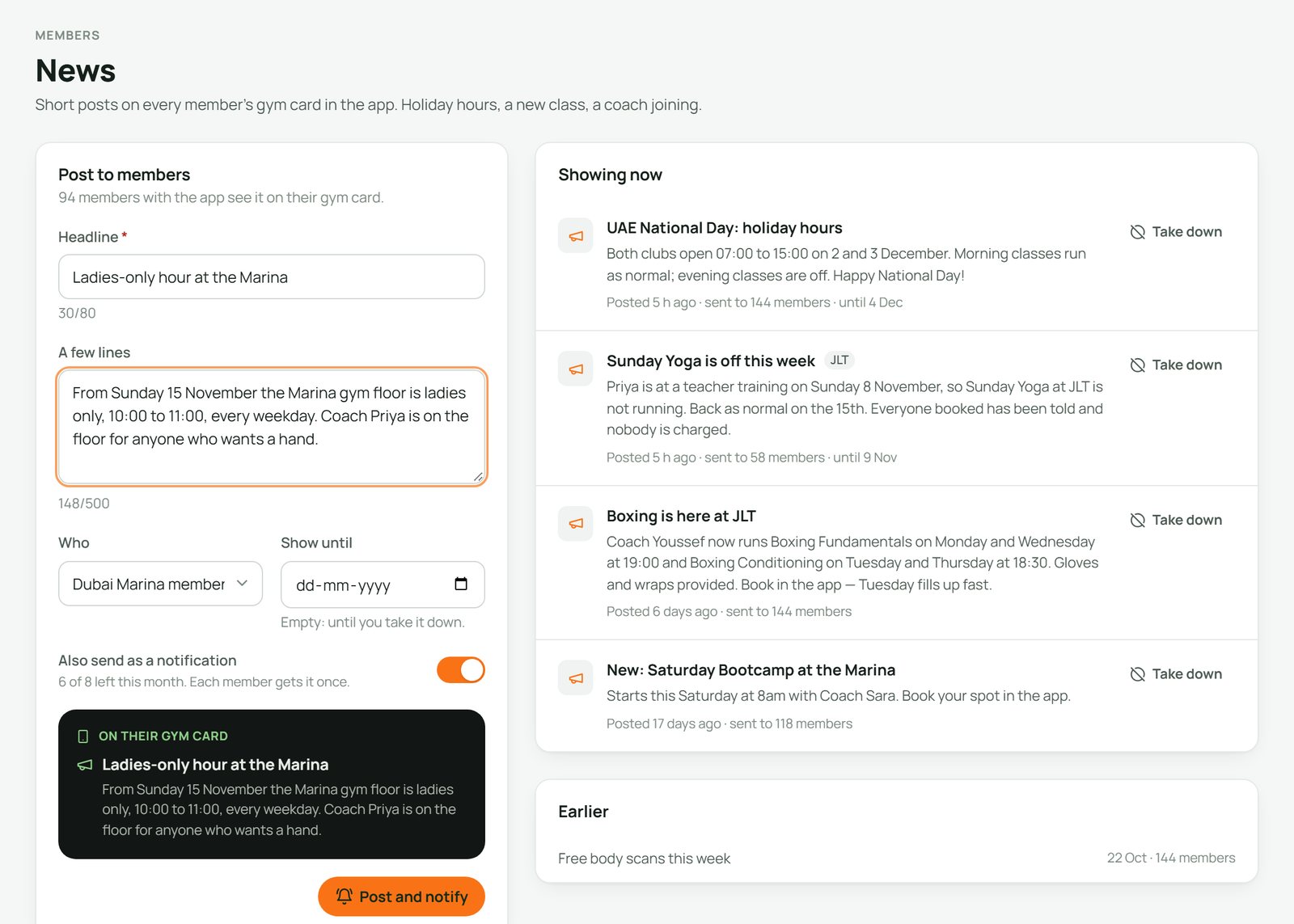
Short posts on your members’ gym card in the app: holiday hours, a new class, a coach joining. You can send each one as a notification too.
- Open News.
- Write a Headline (up to 80 characters) and, if you like, A few lines (up to 500).
- With more than one location, choose Who: Every location, or one location’s members.
- Show until takes it down by itself after that date. Leave it empty to keep it up until you take it down.
- Leave Also send as a notification on to tell members now, and press Post and notify. With it off, the button says Post.
What members see
The newest headline on their gym card on the home screen, and the newest three in full on the Your gym screen. Members of one location see that location’s posts and the ones for everyone.
Eight notifications a month
Each gym can send 8 news notifications a calendar month, so the app never turns into a mailing list. The form shows how many are left, and each member gets a post once. After 8, posts still show in the app, without a notification. A challenge you post to news uses one too.
Taking it down
Press Take down next to the post under Showing now. Members stop seeing it at once, and it moves to Earlier with how many members it was sent to.
Related
Still stuck? Talk to us.
We reply in English.
- Call or WhatsApp
- +971 55 582 0061 · WhatsApp
- Hours
- Monday to Friday, 9:00 to 17:00 (UAE)
- Company
- FIT - VANTAGE FZCO · DSO-IFZA, IFZA Properties, Dubai Silicon Oasis, Dubai, UAE