
Help centreFitVantage for GymsYour members and the app
What your members see
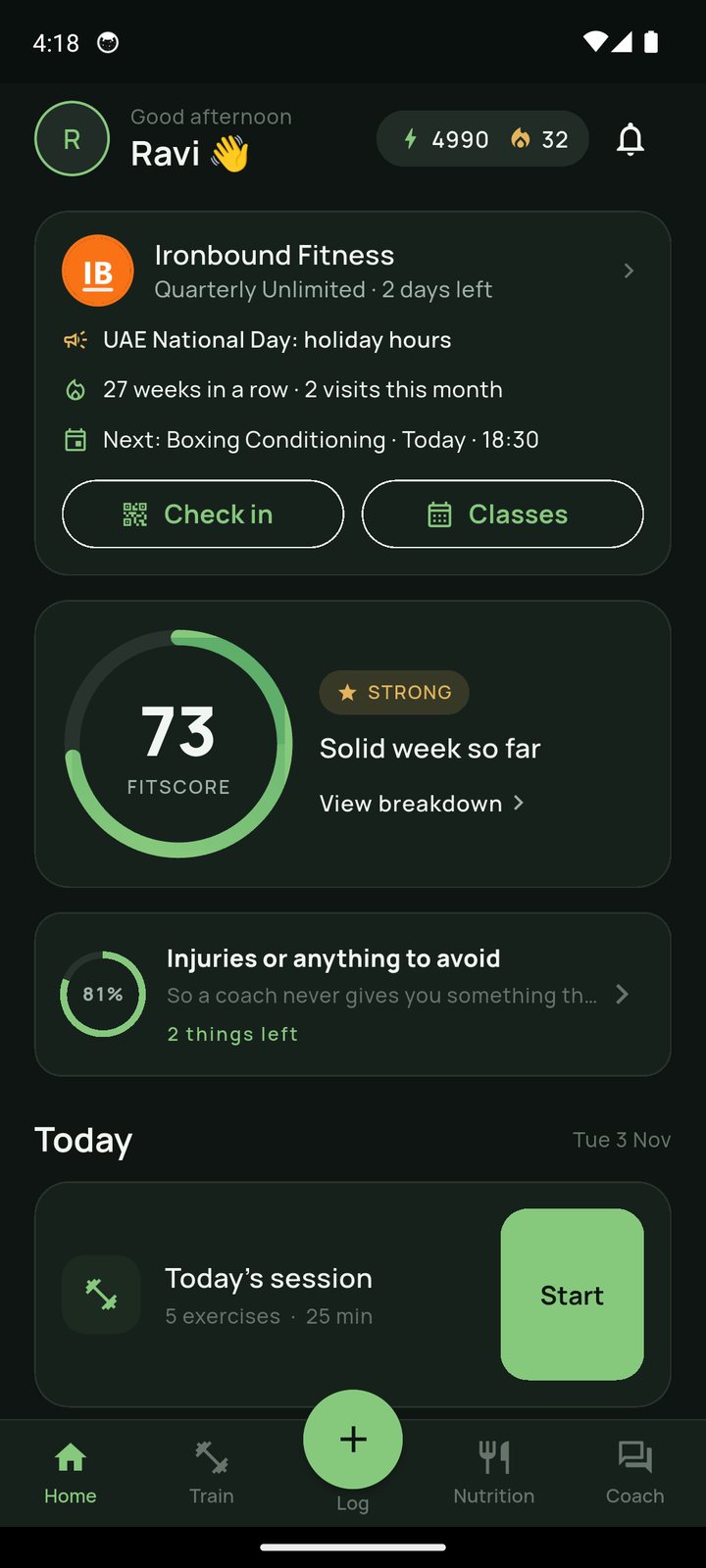
Once someone joins your gym in the FitVantage app, your gym is at the top of their home screen. Here is what they see, so your team can answer their questions.
On the home screen
Your gym’s card: your name and logo, their plan and days left, your newest news headline, their visits, their next class, and Check in and Classes. Tapping it opens Your gym.
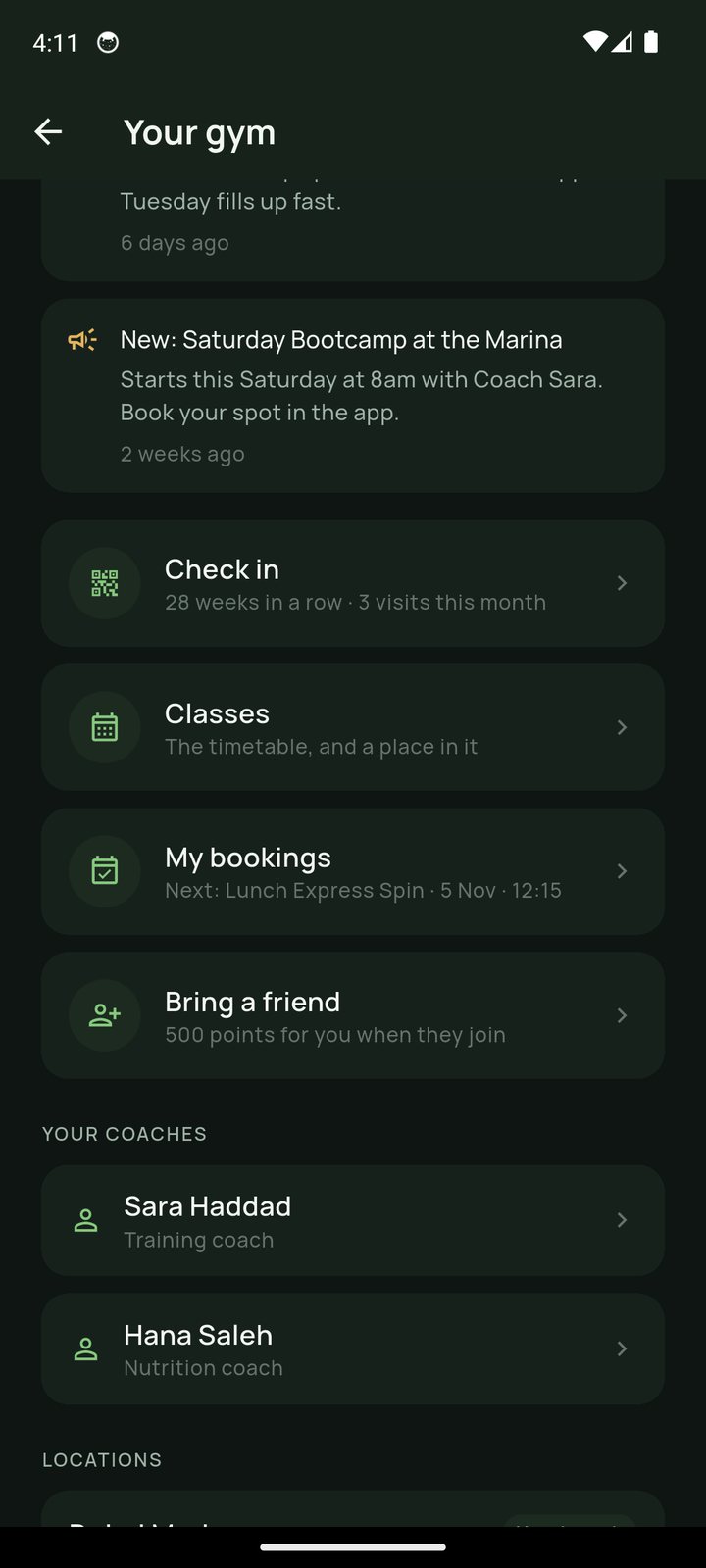
On the Your gym screen
- Their membership: dates, days or credits left, anything still to pay, and Ask to renew when it’s ending.
- Your news (the newest three) and your challenges.
- Check in, Classes and My bookings.
- Bring a friend: the friend lands on your Leads with who sent them, and the member gets points when the friend is marked as joined.
- Your coaches, and your locations with Call and Open in Maps.
- Your plans: the ones you mark Show to the public, with I want this, and Buy online if you added your own payment link.
- Past memberships, and Leave this gym.
Elsewhere in the app
- Rewards store: your rewards, under Your gym.
- Notifications about your gym: bookings, cancelled classes, reminders before a plan ends, overdue payments, news, rewards handed over and win-back nudges.
- Coaching: a coach you assign gives plans, habits and forms in the app. With Coaching needs a paid plan on (the default), that waits for a paid plan. Chat stays open.
What stays theirs
What they log stays in their own account.
Your brand
With Show our brand in the member app on in Settings, members see your logo and colour. Off, they see your name in FitVantage’s colours. Set the logo and colour under Branding.
Related
Still stuck? Talk to us.
We reply in English.
- Call or WhatsApp
- +971 55 582 0061 · WhatsApp
- Hours
- Monday to Friday, 9:00 to 17:00 (UAE)
- Company
- FIT - VANTAGE FZCO · DSO-IFZA, IFZA Properties, Dubai Silicon Oasis, Dubai, UAE