
Help centreFitVantage for GymsYour members and the app
Rewards with desk codes
Your members earn Vantage Points for check-ins, classes, workouts and habits. Give them something to spend them on with you, like a shake or a guest pass. They show a code at the desk to collect it.
Add a reward
- Open Rewards and choose New reward. With none yet, you can start from an idea such as Protein shake or Guest pass.
- Give it a Name, One line about it, and its price in Points (at least 50).
- Set How many to give and Per member, or leave them empty for no limit.
- How they collect it is shown with their code in the app. Press Add reward: it’s in the app’s points store at once.
A reward is something you hand over: a good, a service or access. Not money off a membership, not credit, not cash. Points have no cash value and can’t be bought.
Hand it over
- The member shows the six-character code from the app.
- On Front desk, type it under Reward code and press Find. It’s also on the Rewards page, under Hand over a reward.
- Check the name and press Hand over. The member is told. A code works once.
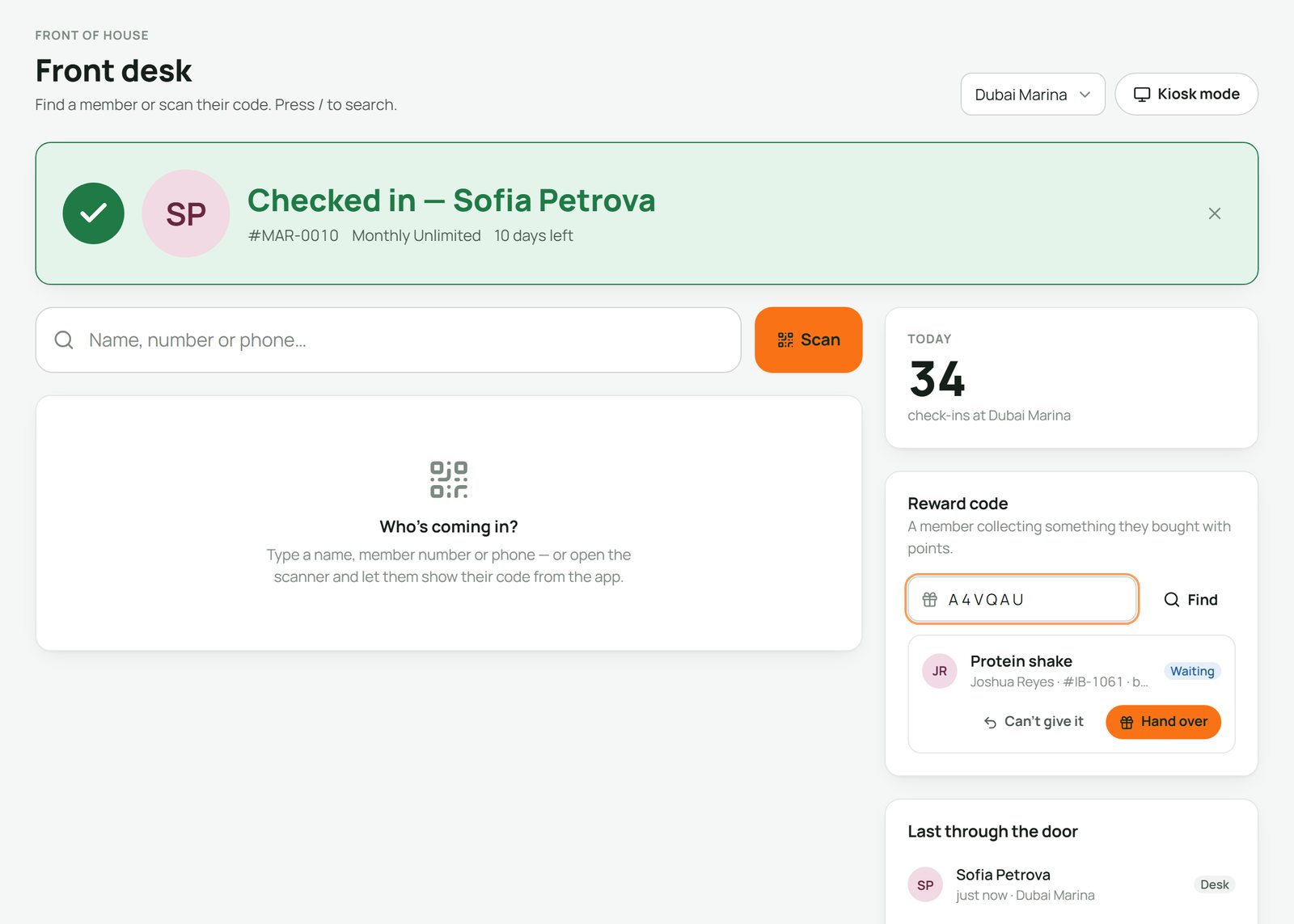
Can’t give it today? Press Can’t give it, add a reason they’ll see if you like, and press Refund points. Their points come back, and the reward goes back in stock.
Keeping track
Waiting at the desk lists rewards bought and not yet collected, with their codes. Each reward shows how many were bought. To stop offering one, choose Take out of the store from its menu: codes already bought still work.
Related
Still stuck? Talk to us.
We reply in English.
- Call or WhatsApp
- +971 55 582 0061 · WhatsApp
- Hours
- Monday to Friday, 9:00 to 17:00 (UAE)
- Company
- FIT - VANTAGE FZCO · DSO-IFZA, IFZA Properties, Dubai Silicon Oasis, Dubai, UAE