
Help centreThe FitVantage appTraining
Log a workout
Log a gym session exercise by exercise, or an activity like a run or a padel match. It goes into your FitScore and your history.
- Tap Log in the middle of the bottom bar, then Workout. Or tap + on the Train tab.
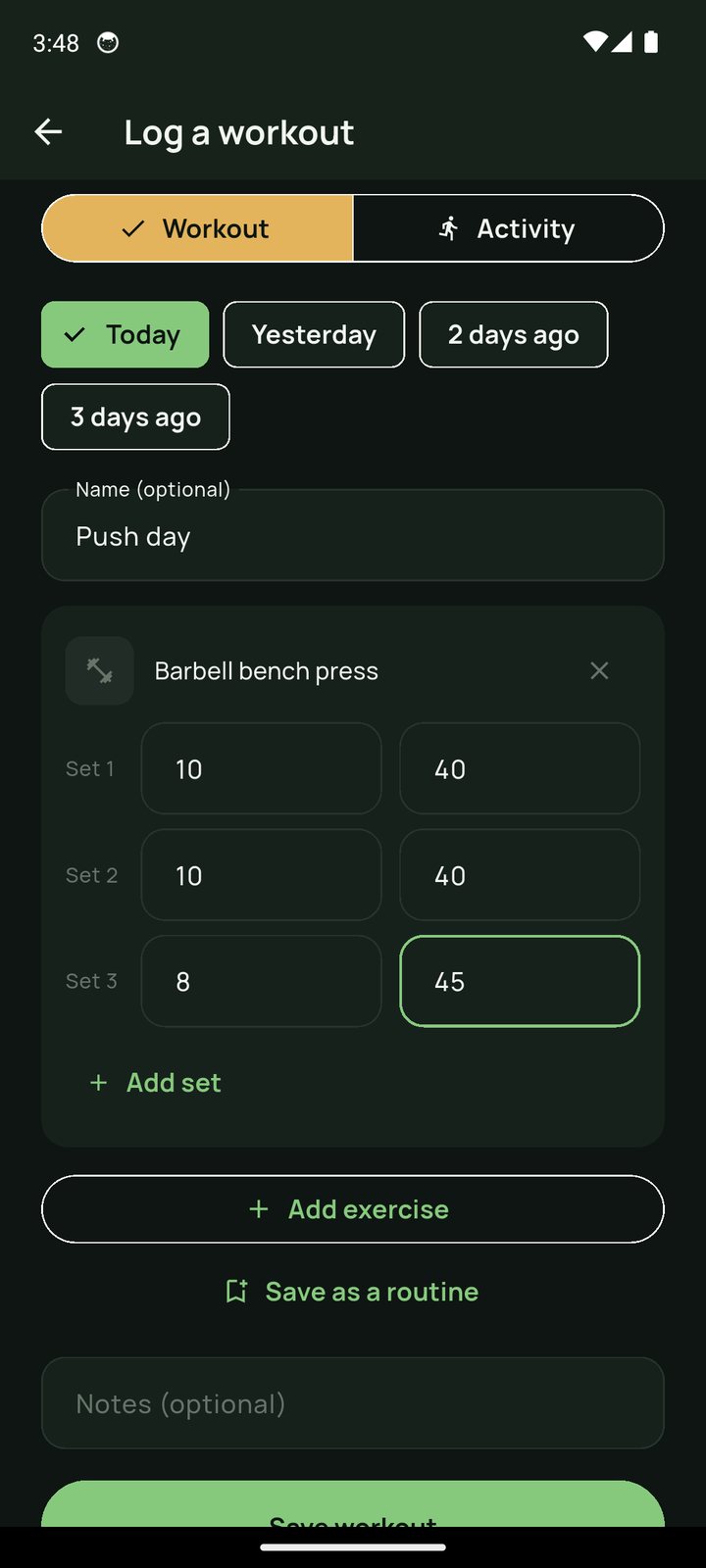
- Choose Workout or Activity, and the day: today, or up to three days back.
- For a workout, tap Add exercise and search the library, or filter by body part. Each exercise starts with three sets: fill in reps and kg, and tap Add set for more. Repeat last workout fills in the last one for you.
- For an activity, pick it (run, walk, cycle, swim, padel, football, class, yoga, hike or other) and how many minutes.
- Tap Save workout.
What counts
- Every workout or activity you log counts as a training day, for your FitScore, badges and challenges.
- Vantage Points come once a day: for a workout of three sets or more, or an activity of 15 minutes or more. A workout from your coach’s plan shares the same daily points.
Save it as a routine
Tap Save as a routine and it appears under My routines on the Train tab. Tap a routine to start it. The reps and kg in a routine are targets: you log what you really did.
Remove one
On the Train tab, long-press the workout and tap Remove. A logged workout can’t be edited, so remove it and log it again. Points you already earned stay.
If you have a coach
The Train tab shows today’s session from your coach’s plan. Log each exercise in it as you go. You can still log your own workouts too.
Related
Still stuck? Talk to us.
We reply in English.
- Call or WhatsApp
- +971 55 582 0061 · WhatsApp
- Hours
- Monday to Friday, 9:00 to 17:00 (UAE)
- Company
- FIT - VANTAGE FZCO · DSO-IFZA, IFZA Properties, Dubai Silicon Oasis, Dubai, UAE