
Help centreThe FitVantage appFood and progress
Weight and progress photos
Log your weight and body measurements, see the trend, and keep progress photos that only the people looking after you can see.
Log your weight
- Tap Log in the bottom bar, then Weight. Or tap Log on the Progress screen.
- Enter it in kg. Same scale, same time of day: trends beat snapshots.
- Tap Add measurements for neck, chest, waist, hips, thigh and arm, in centimetres.
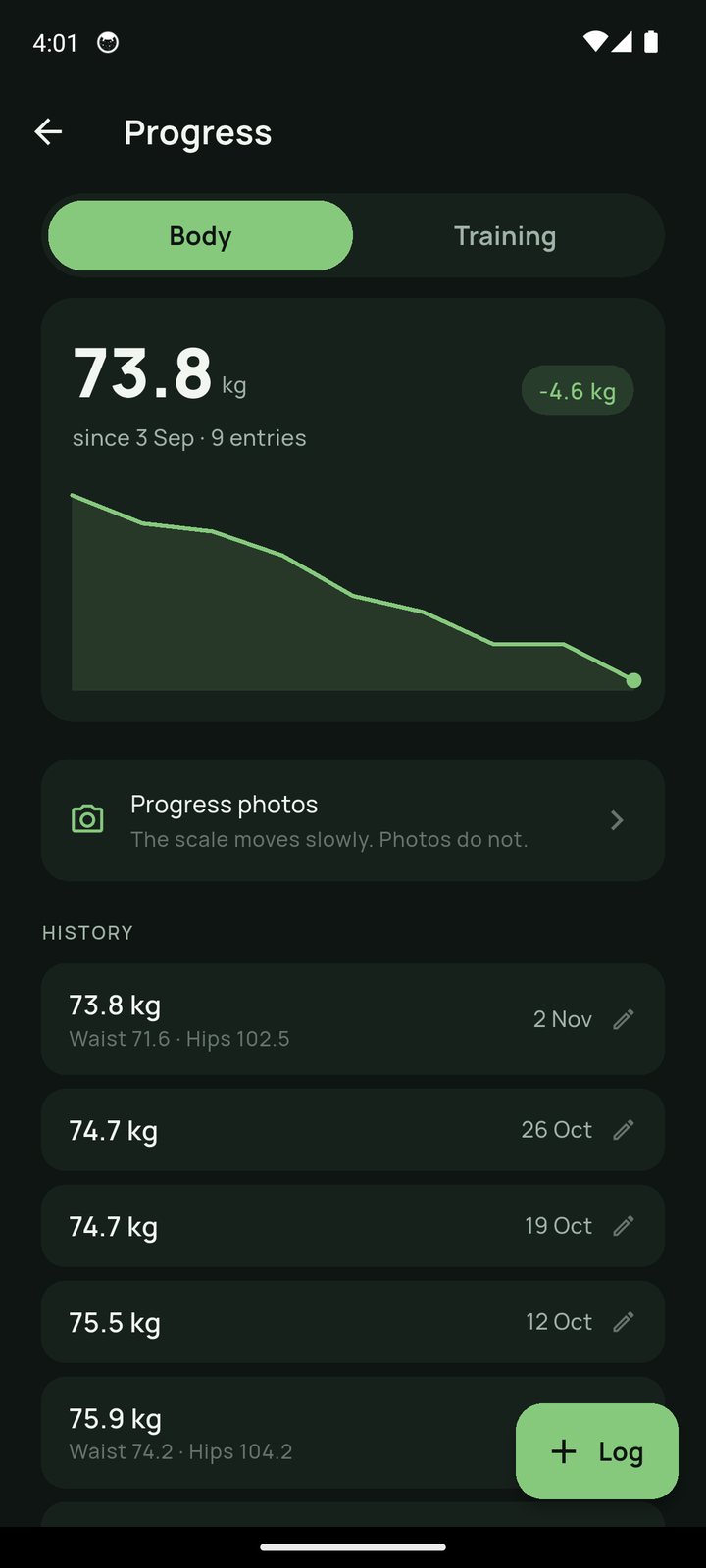
One entry a day: saving again the same day changes it. Progress › Body shows your latest weight, the change since you started, and a trend line once there are two entries. Tap an entry under History to correct it.
Progress photos
- Tap Log, then Progress photo. Or open Progress photos on the Progress screen and tap Add.
- Choose Take a photo or Choose from your photos. JPG, PNG or WebP, up to 8 MB.
Your first photo is marked First, so you can see how far you’ve come. To delete one, tap … on the photo, then Delete. It’s gone for everyone, and can’t be brought back.
Who can see them
- You, and your coach if you have one.
- At a gym: the gym’s owners, managers and coaches. The front desk can’t.
- FitVantage’s support team, only to keep the app safe and when you ask us for help.
- Nobody else. Photos are stored privately, and each link to one stops working within two hours.
Apple Health and Health Connect
The app reads steps, sleep, resting heart rate and active energy from your phone. It doesn’t bring in weight, so log it here.
Related
Still stuck? Talk to us.
We reply in English.
- Call or WhatsApp
- +971 55 582 0061 · WhatsApp
- Hours
- Monday to Friday, 9:00 to 17:00 (UAE)
- Company
- FIT - VANTAGE FZCO · DSO-IFZA, IFZA Properties, Dubai Silicon Oasis, Dubai, UAE