
Help centreFitVantage for CoachesPlans
Build a workout programme
Build a programme once as a routine, then give it to any client. Their workouts land on real dates in the Train tab of their app.
Build a routine
- Open Workout Routines and choose New routine.
- Name it, and set the weeks, level, body section, goal and the equipment it needs.
- Pick a week, then a day. Choose Add exercise to search the exercise library by name, body part, target, equipment or difficulty. A day with nothing in it is a rest day.
- For each exercise, set Sets, Reps, Weight, RPE, Rest (in seconds) and a Note. Give two or more exercises the same Group letter to make a superset or circuit.
- Choose Create routine.
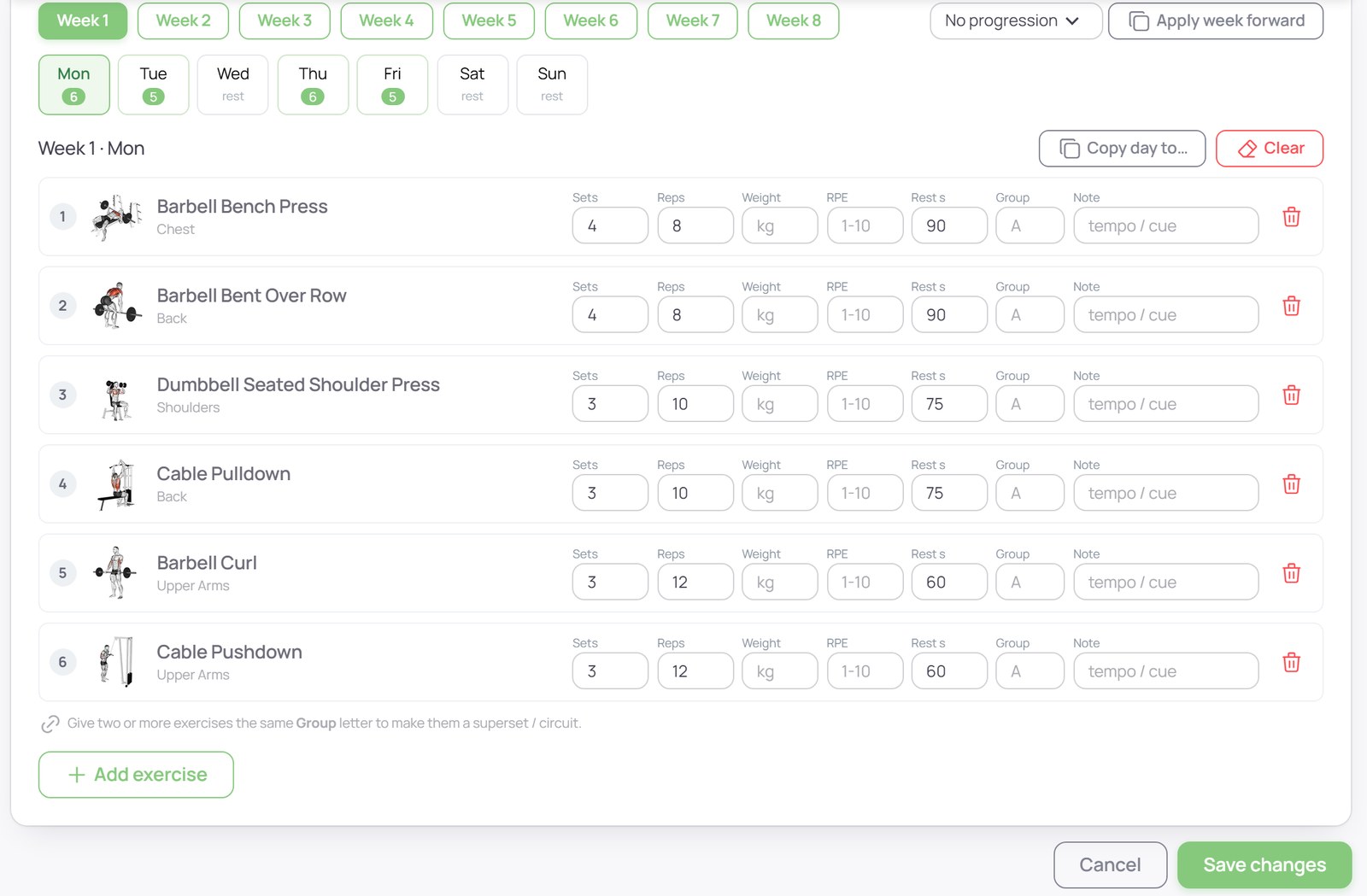
- Copy day to… copies a day’s exercises to other days.
- Apply week forward copies a week to every later week, with No progression, +kg / week or +% / week.
- Not in the library? Add a custom exercise. It has no demo video, so your client sees only its name and your note.
Give it to a client
- Open Workout Plans and choose Assign Workout, or choose it on the client’s record.
- Name the plan, pick the client and a start date.
- Choose From Routine Template and pick your routine, or Custom (day-by-day) to write the days right there.
- Choose Assign Workout. The routine’s weeks and days are set out on real dates from the start date.
- Already has a plan from you? Choose to replace it (finished sessions are kept) or run both.
- A starter programme they got from the app is replaced by yours.
- FitVantage’s own routines, marked FitVantage, can be assigned as they are. To change one, copy it first.
Related
Still stuck? Talk to us.
We reply in English.
- Call or WhatsApp
- +971 55 582 0061 · WhatsApp
- Hours
- Monday to Friday, 9:00 to 17:00 (UAE)
- Company
- FIT - VANTAGE FZCO · DSO-IFZA, IFZA Properties, Dubai Silicon Oasis, Dubai, UAE